How workflow automation removes manual bottlenecks from RFP responses
How proposal teams can use workflow automation to remove manual RFP bottlenecks, standardise handoffs and create faster, more consistent responses.
Enterprise proposals carry strategic weight, but the day-to-day work often depends on manual coordination. A team may need to review a long RFP, define the response plan, assign sections, collect expert input, reuse approved content, and turn everything into a client-ready submission. When that work is spread across disconnected files, messages, and status updates, the proposal process becomes harder to manage than the opportunity itself.
This is where workflow automation tools become relevant. General workflow automation software is designed to define steps, assign tasks, and track progress. AI workflow automation tools add another layer by helping teams automate repeatable work and improve productivity. For proposal teams, the value is not simply creating another task list. The value is removing repeatable bottlenecks across intake, assignment, review, and response production.
RFP work also needs more governance than many routine business workflows. Sources on RFP automation point to common friction such as manual searches, repetitive drafting, requirement extraction, approval workflows, and the need for human review. That is why the strongest approach is connected automation: workflow structure to keep the team aligned, AI assistance to reduce busywork, and human judgment to protect accuracy, positioning, and buyer-specific nuance.
What workflow automation tools actually do in proposal work
Workflow automation tools move repeatable work through defined steps with less manual handling. In plain terms, they help a team define the work, assign tasks, track progress and reduce the number of status checks needed to keep a process moving. For proposal teams, that matters because RFP work is often complex, time-bound and spread across bid managers, subject matter experts, reviewers and approvers.
Basic workflow automation is mostly about moving work forward. AI-enabled workflow automation adds another layer. AI can help interpret documents, classify information, summarise content, draft text or suggest routing based on the information in the RFP. The workflow still provides the structure; AI helps handle the messier information inside that structure.
In proposal work, this can start at RFP intake. A team can capture the opportunity, define the response flow and turn requirements into trackable work. From there, automation can support compliance checks, content requests, SME assignments, review routing and approval reminders. Near the end of the process, the same operating model can help bring approved material into a client-ready response or deck.
The point is not to remove bid strategy or expert judgement. Strong proposals still need human decisions about fit, win themes, risk, pricing, positioning and buyer-specific language. Automation is most useful when it reduces repetitive coordination, makes ownership clearer and creates a more auditable path from RFP receipt to final submission. Used well, it gives proposal leaders more time to focus on the decisions that affect quality and win probability.
- Intake: capture the RFP and start a defined response flow.
- Assignments: route work to proposal owners, SMEs and reviewers.
- Packaging: assemble approved response material for final delivery.
Workflow automation is most useful when the proposal process is clear before the tool is configured. Define the workflow before choosing the automation tool.
Find the bottlenecks before you automate them
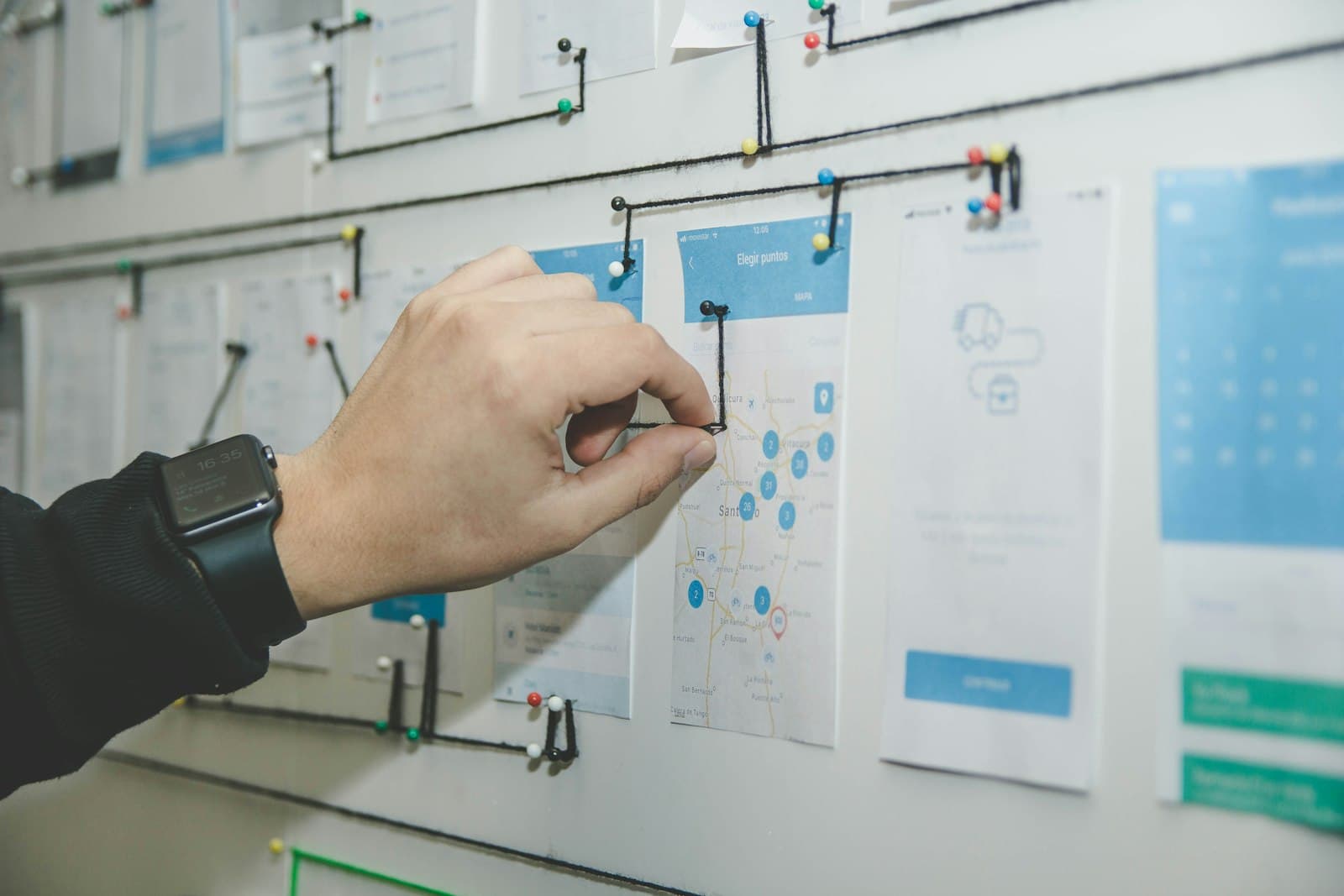
Before comparing workflow automation tools, proposal leaders should map the current RFP journey from receipt to submission. A simple process map is enough. Show each stage, the owner, the handoff, the review gate, and the tools used. This makes the hidden work visible: who qualifies the opportunity, who extracts requirements, who asks subject matter experts for input, who assembles the draft, who approves the response, and who turns it into a client-ready submission.
This diagnosis matters because workflow automation software is strongest when the work has clear steps, assigned tasks, and trackable progress. Low-code AI workflow tools are often positioned around predictable tasks, routing, and orchestration. Proposal work includes some of those patterns, but it also includes judgement-heavy decisions. It is to find the repeatable friction that slows the team on most bids.
- Map the RFP journey before selecting tools.
- Look for repeated delays across qualification, content, SME input, approvals, versions, and formatting.
Diagnostic questions
Start by asking where time is lost and where rework appears. Are qualification decisions unclear? Do multiple people request the same content from the same expert? Are subject matter experts slow to respond because requests arrive without context or priority? Do teams lose time reconciling versions, chasing approvals, or fixing formatting at the end?
Then look for evidence. Useful signals include cycle time by stage, the number of review rounds, repeated content requests, late SME responses, approval queues, and last-minute formatting work.
Automation opportunities
In proposal operations, this can include requirement extraction, task assignment, content retrieval, workflow routing, follow-ups, approval tracking, and formatting checks. These tasks have defined inputs and outputs, so automation can reduce manual coordination without removing human review.
That distinction helps teams choose automation that improves speed and consistency without flattening the strategic parts of the proposal process.
Choose the right automation pattern for proposal complexity
Not every automation problem needs the same tool. Broad workflow automation platforms are a good fit when the work is mainly about repeatable coordination. They can help teams define steps, assign tasks, route work, track progress and keep status visible across a project. For proposal teams, that can be useful for intake, handoffs, review reminders and basic collaboration.
Low-code and AI workflow automation tools add another layer. They are built for teams that need to connect software, automate predictable SaaS tasks, or orchestrate AI steps inside a larger process. Sources comparing tools such as Zapier, Make, n8n, Power Automate, Workato and others show that this category can be powerful, but the right fit depends on the team, the systems involved and the amount of configuration the organisation can govern.
Complex proposals raise a different question. The workflow does not only need to move tasks from one person to another. It needs to understand the proposal context: RFP analysis, compliance requirements, reusable response content, subject matter expert input and the creation of client-ready deliverables. At that point, isolated point-to-point automation can reduce some manual work, but it may not solve the deeper problem of a fragmented proposal lifecycle.
This is where a proposal-specific operating system becomes more relevant. Vyavos is building a Proposal Operating System for enterprise teams, designed to connect the lifecycle from RFP analysis through client-ready decks. It is to reduce the dependence on disconnected manual workflows when bid, pursuit and business development teams need consistency across complex responses.
The more proposal context the workflow needs to understand, the less effective isolated point-to-point automation becomes.
Design automation around human control points
The strongest proposal workflows do not automate every decision. They use workflow automation tools to make the process clearer, faster and easier to track, while keeping judgement with the right people. This matters in enterprise RFP work, where teams need repeatable steps, assigned tasks and visible progress, but still need human control over strategy, risk and the final client story.
First is intake and qualification. Automation can capture the opportunity, route it to the right owners, prompt the team to review key requirements and make status visible. Humans should still make the bid or no-bid call, because that decision depends on fit, capacity, commercial value and competitive judgement.
The second phase is response planning and ownership. Here, automation should assign tasks, send reminders and show who owns each part of the response. The pursuit lead, sales team and subject matter experts still need to shape the approach, choose the proof points and decide how the proposal should speak to the buyer.
AI-enabled automation can help with content retrieval prompts, first-pass drafting support, workflow routing, review sequencing and formatting handoffs. The goal is not a black box. The goal is a governed workflow where everyone can see what changed, who reviewed it and what still needs attention.
- Automate routing, reminders, content prompts, status updates and review sequencing.
- Keep bid decisions, win strategy, commercial positioning, risk sign-off and final narrative with people.
Automation should make ownership clearer, not create a black box where nobody knows who approved what.
Start with one repeatable bottleneck and scale from there
The safest way to adopt workflow automation tools is to start with one repeatable bottleneck, not the whole proposal lifecycle at once. Workflow automation software is strongest when the team can define the steps, assign work, and track progress. For a proposal team, that first target might be a recurring delay in intake, content retrieval, review routing, approval follow-up, or status visibility.
This keeps automation tied to the real process instead of turning a messy manual workflow into a faster messy workflow. Use automation for the repeatable parts: moving content, routing tasks, sending reminders, updating status, and supporting collaboration. Keep human judgement in the places where it matters, such as win strategy, risk review, and final client-facing decisions.
Then measure what changed. Track cycle time, review delays, rework, and response consistency. If the first workflow improves, expand into the next adjacent stage. Enterprise proposal teams should also decide whether generic workflow automation is enough, or whether a proposal-specific operating system is a better fit. For teams that need to connect RFP analysis, collaboration, approvals, and client-ready outputs, a platform such as Vyavos may be more practical than a set of disconnected automations.
- Pick one high-frequency proposal bottleneck.
- Define the workflow before configuring the tool.
- Automate routing, reminders, handoffs, content movement, and status updates.
- Measure results, then expand into the next proposal stage.
- What are examples of a workflow automation tool?
- Examples include broad platforms such as Zapier, Make, n8n, Power Automate and Workato, which can connect software, route tasks and automate predictable SaaS workflows.
- What are workflow management tools?
- Workflow management tools help teams define steps, assign tasks, route work and track progress, giving proposal teams clearer visibility across intake, handoffs, reviews and approvals.
- How should proposal teams use automation?
- Proposal teams should start with one repeatable bottleneck, such as intake delays, content retrieval, review routing or approval follow-up, then measure cycle time, rework and response consistency.
- What proposal work should be automated first?
- The best first target is a frequent, measurable bottleneck with clear inputs and outputs, such as RFP intake, content requests, SME assignments, review routing, approval reminders or status updates.
- Where should humans stay in an automated proposal workflow?
- Humans should keep control of bid/no-bid decisions, win strategy, commercial positioning, risk sign-off and the final client narrative because these depend on judgement and buyer-specific context.
- When does a proposal-specific operating system make sense?
- A proposal-specific operating system makes sense when teams need to connect RFP analysis, compliance requirements, reusable content, SME collaboration, approvals and client-ready outputs in one lifecycle.
- 1. RFP Automation: Complete 2026 Guide to AI Response Software, v7labs.com
- 2. RFP Automation Software, Automate Repetitive Proposal Work, winifyai.com
- 3. 2026 Sales Proposal Automation: Process, Tools & Benefits, autorfp.ai
- 4. Top AI Workflow Automation Tools for 2026, blog.n8n.io
- 5. 9 Best Workflow Automation Software [2026], atlassian.com
- 6. 10 Best Proposal Automation Tools for Sales Teams [2026], inventive.ai
- 7. Workflow Automation for Small Businesses: A 2026 Guide, activepieces.com
- 8. How to cut RFP turnaround time, sequesto.com
- 9. Top 10 Low-Code AI Workflow Automation Tools (2026), vellum.ai
- 10. 5 Ways AI Automation Improves RFP Response Times, lotuspetal.ai
- 11. How to Cut RFP Response Time by 60% Using Smart Generation Tools, tachyontech.com